
Quickvee POS allows merchants to add custom items to the register when a product isn't catalogued in the system. Custom items can be assigned a price, tax setting, category, and age restriction — all from within the register.
Adding a custom item
-
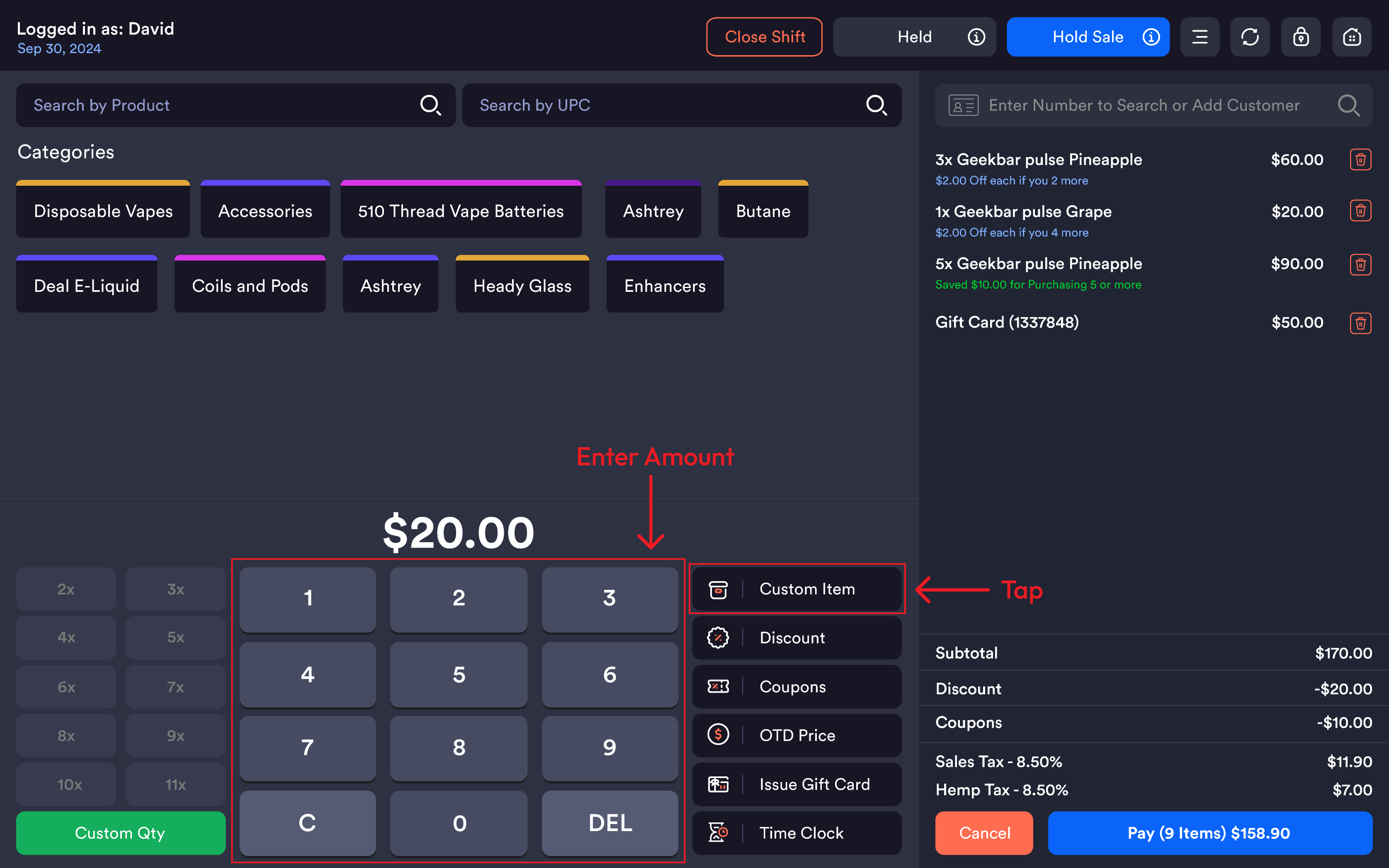
Enter the desired price using the keypad on the register
-
Tap Custom Item
-
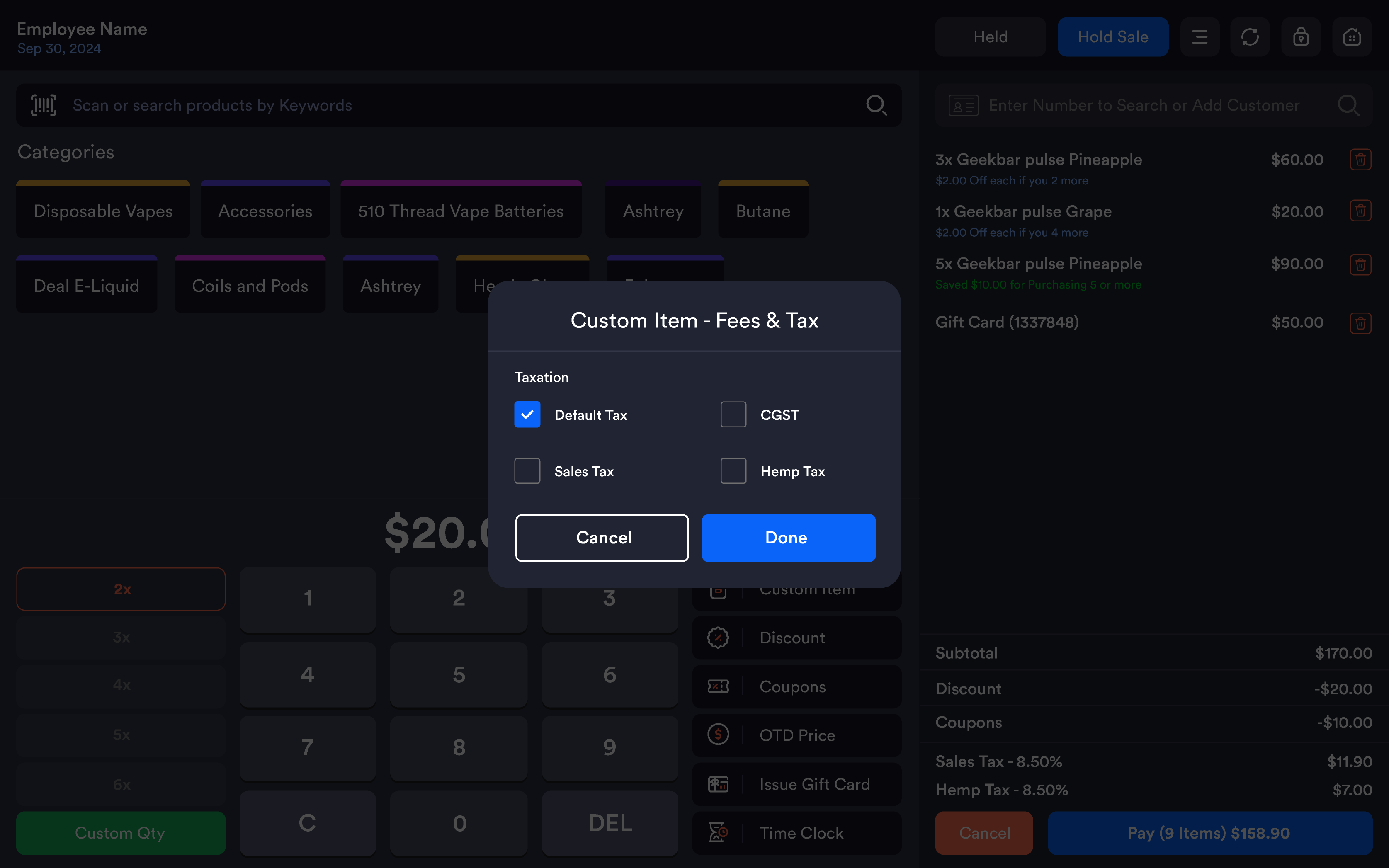
A prompt will appear — select the applicable tax option:
-
Default Tax
-
Any other additional tax as configured
-
-
Tap to confirm — the custom item will be added to the cart
Adding a custom item under a category
To log a custom item under a specific product category:
-
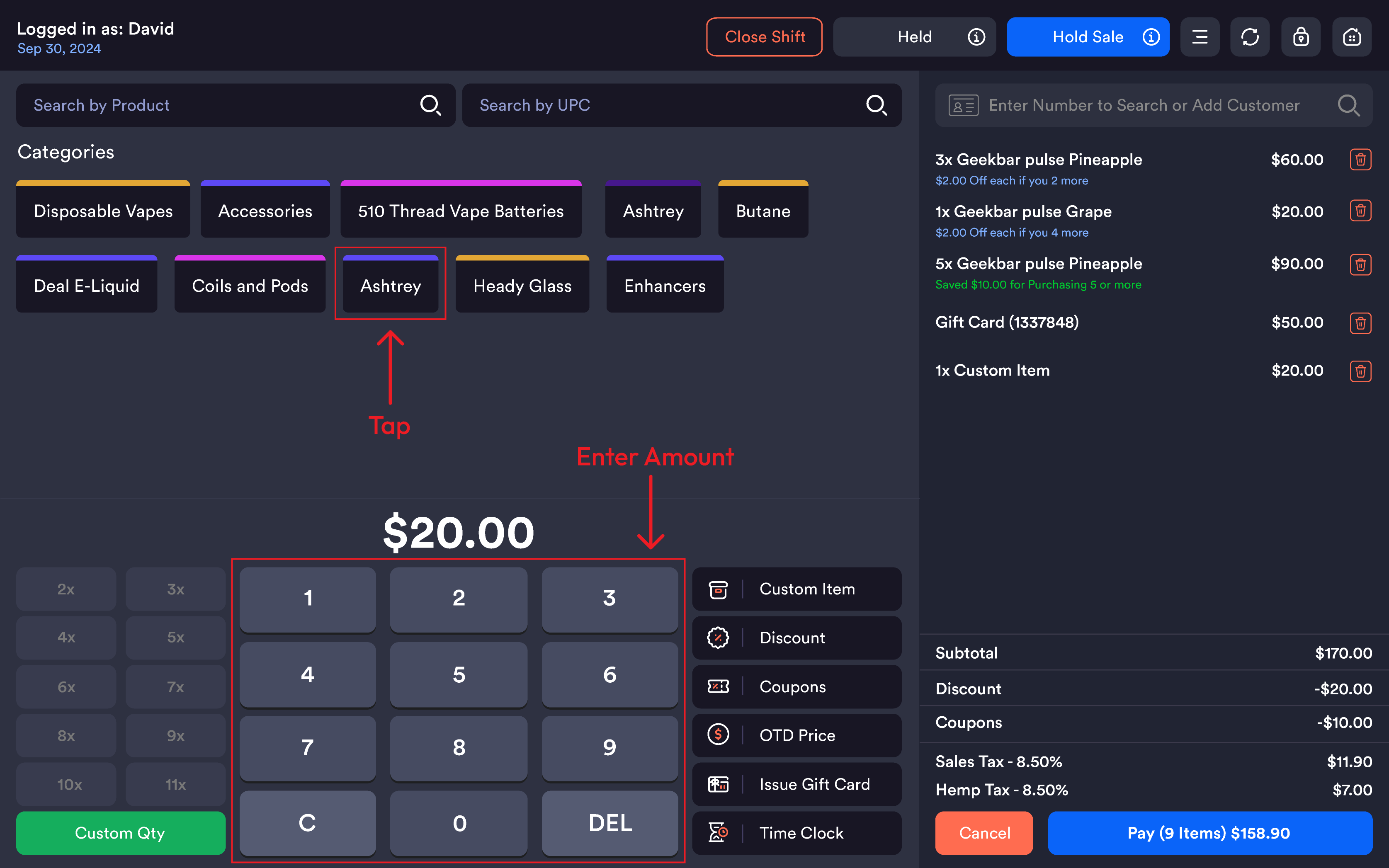
Enter the price using the keypad
-
Tap the desired category (e.g. Disposable Vapes, CBD)
-
The custom item will be added to the cart under that category
This is useful for tracking sales by category even when ringing up untagged or one-off items.
Age restriction on custom items
If a custom item is associated with an age-restricted product, Quickvee POS will automatically display an Age Restriction popup before completing the transaction.
From the popup, the merchant can:
-
Verify the customer's age manually
-
Scan the customer's ID directly from the register to complete age verification
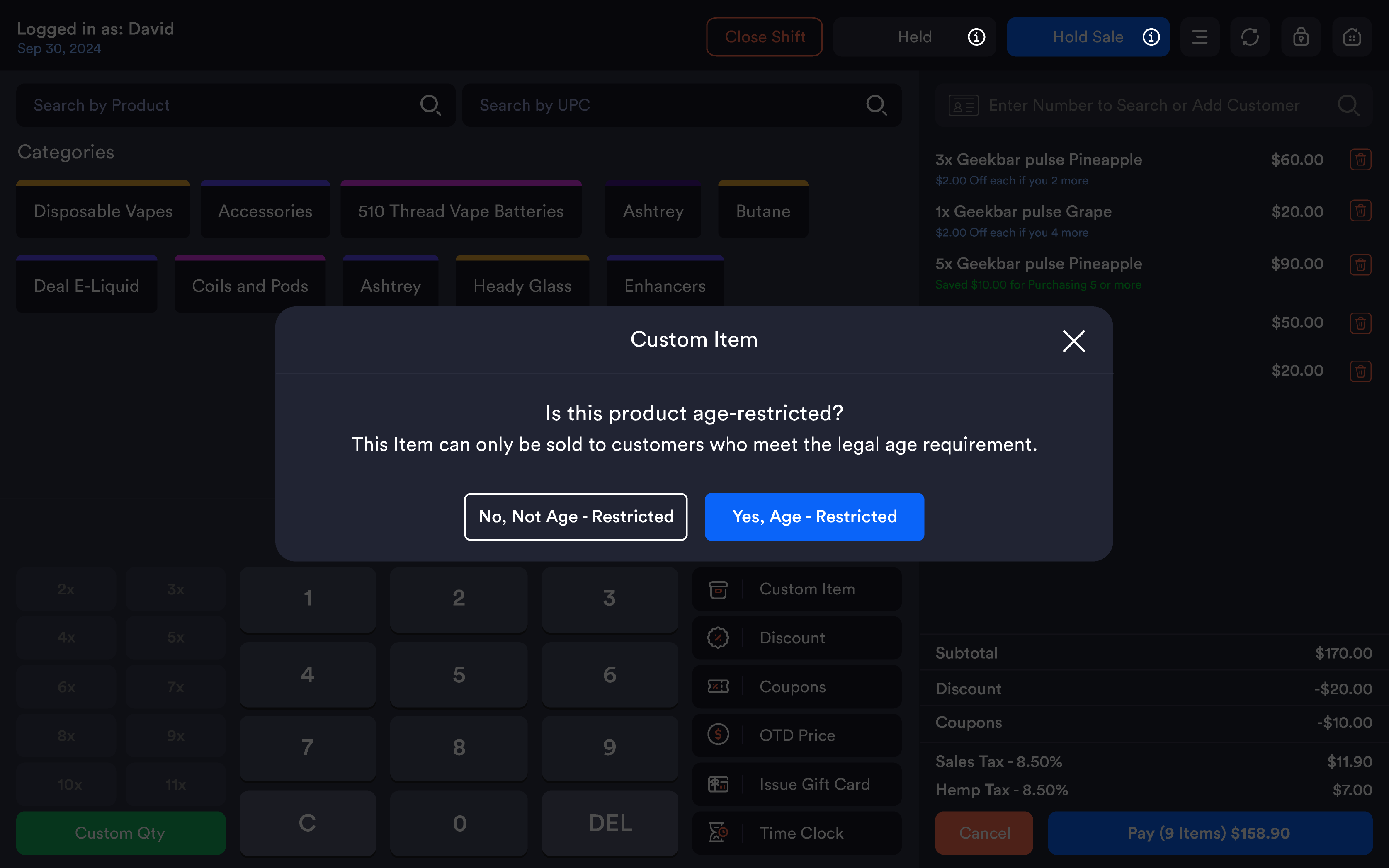
Note: The Age Restriction popup can be enabled or disabled via Station Settings.