
The Hold Sale feature lets merchants pause a transaction mid-sale and save the current basket for later retrieval. Useful when a customer needs more time, a second customer needs to be served first, or a transaction needs to be temporarily set aside. Held baskets are saved with a name and optional mobile number for easy identification.
Holding the current basket
-
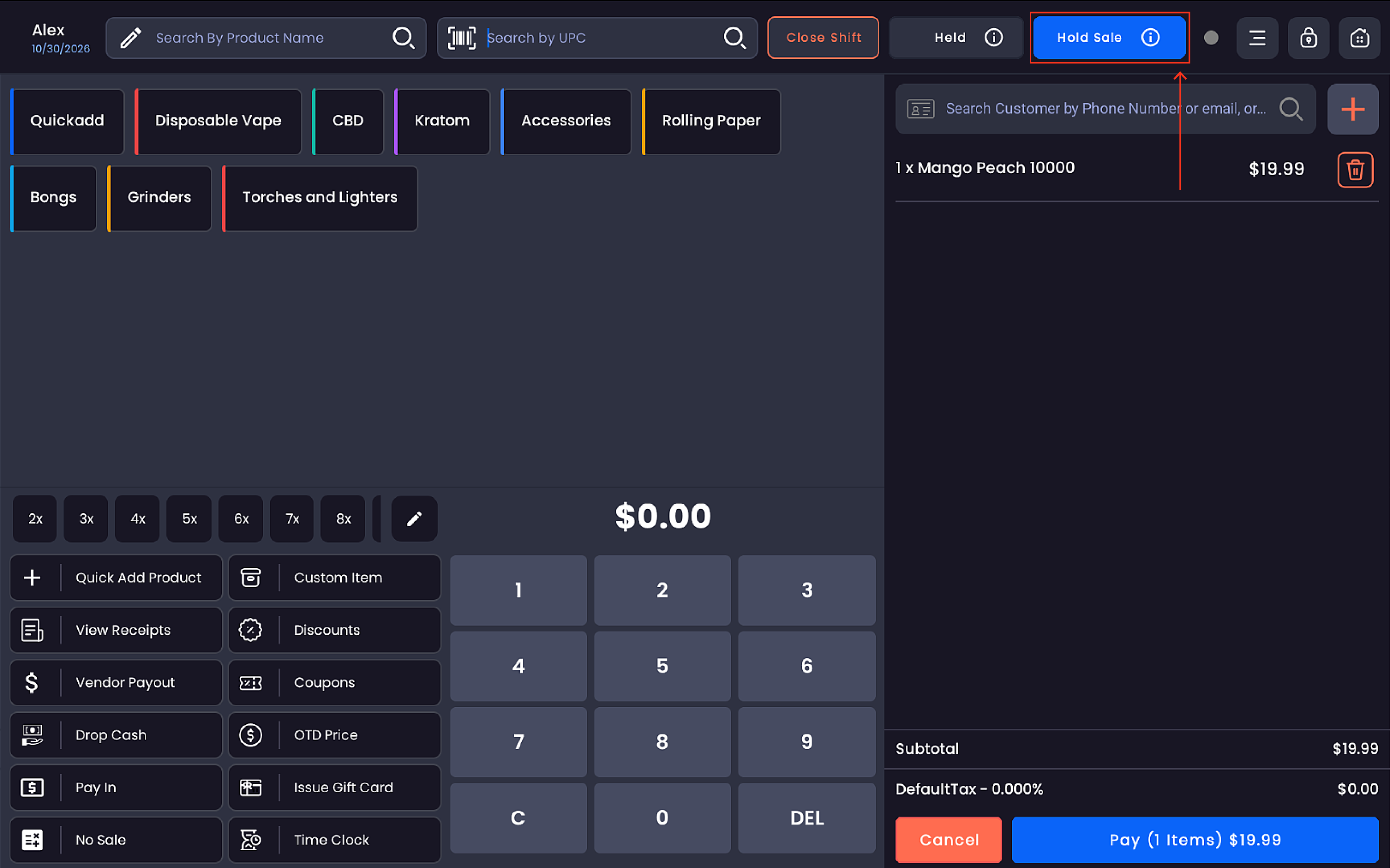
With items in the cart, tap Hold Sale in the top bar
-
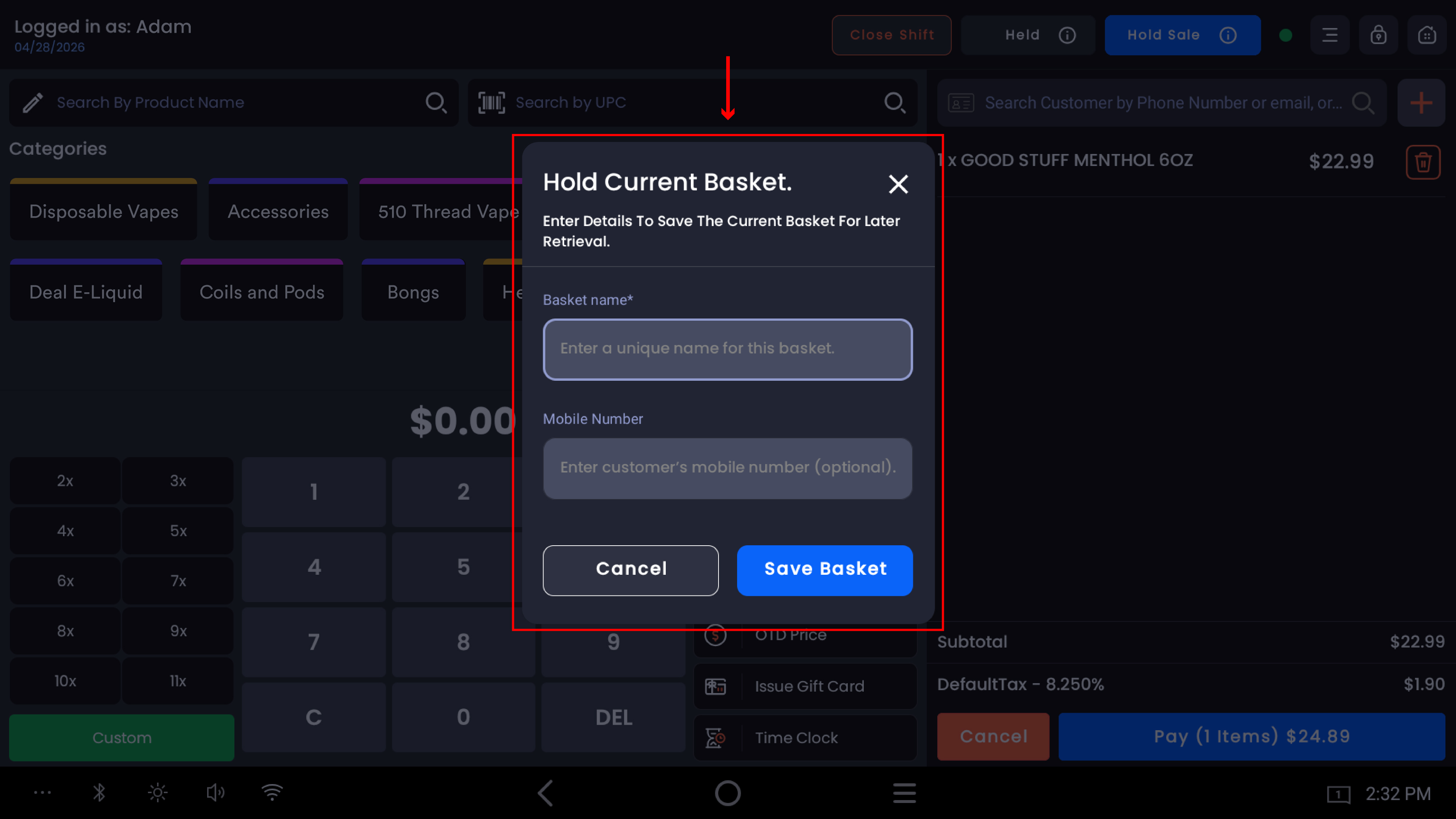
The "Hold Current Basket" popup appears
-
Enter the required details:
-
Basket name(required) — a unique name to identify this basket (e.g. "test 1")
-
Mobile Number(optional) — the customer's mobile number for reference
-
-
Tap Save Basket
-
The register clears and returns to an empty cart
-
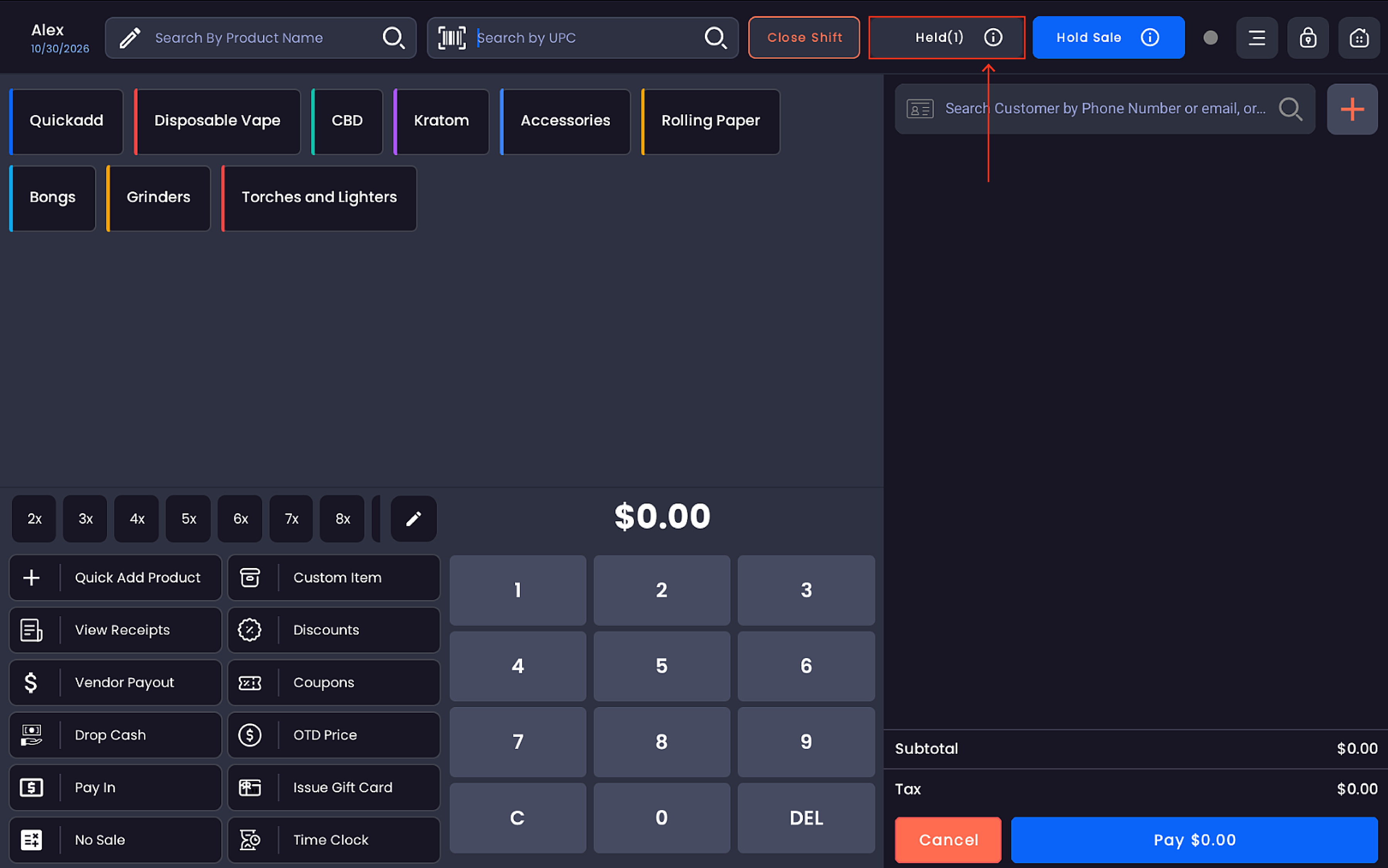
The Held counter in the top bar updates to show the number of saved baskets (e.g. Held(1))
Viewing held baskets
The Held button in the top bar displays the count of all currently saved baskets. Tapping it opens the list of held transactions available for restoration.
Restoring a held basket
-
Tap Held in the top bar
-
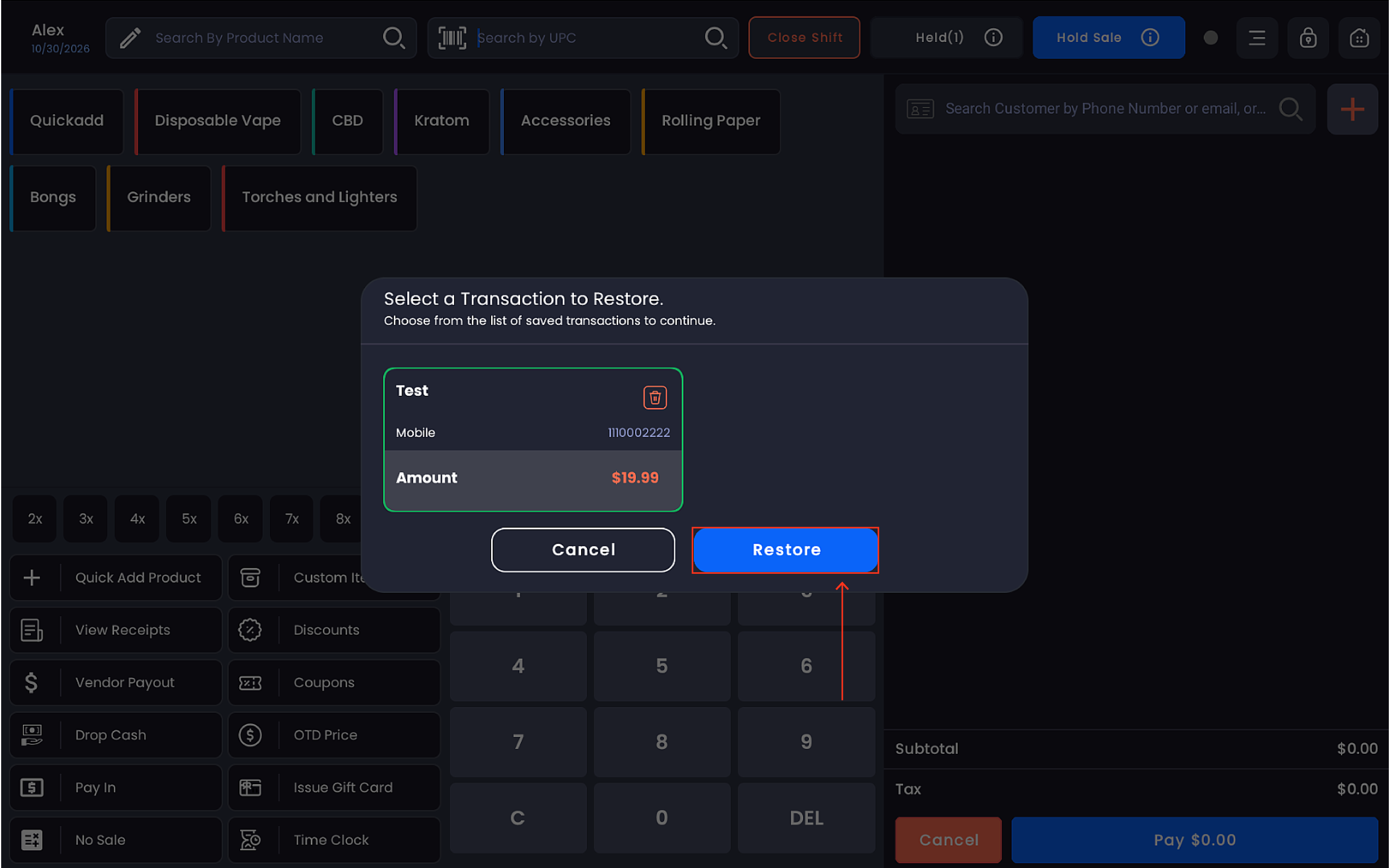
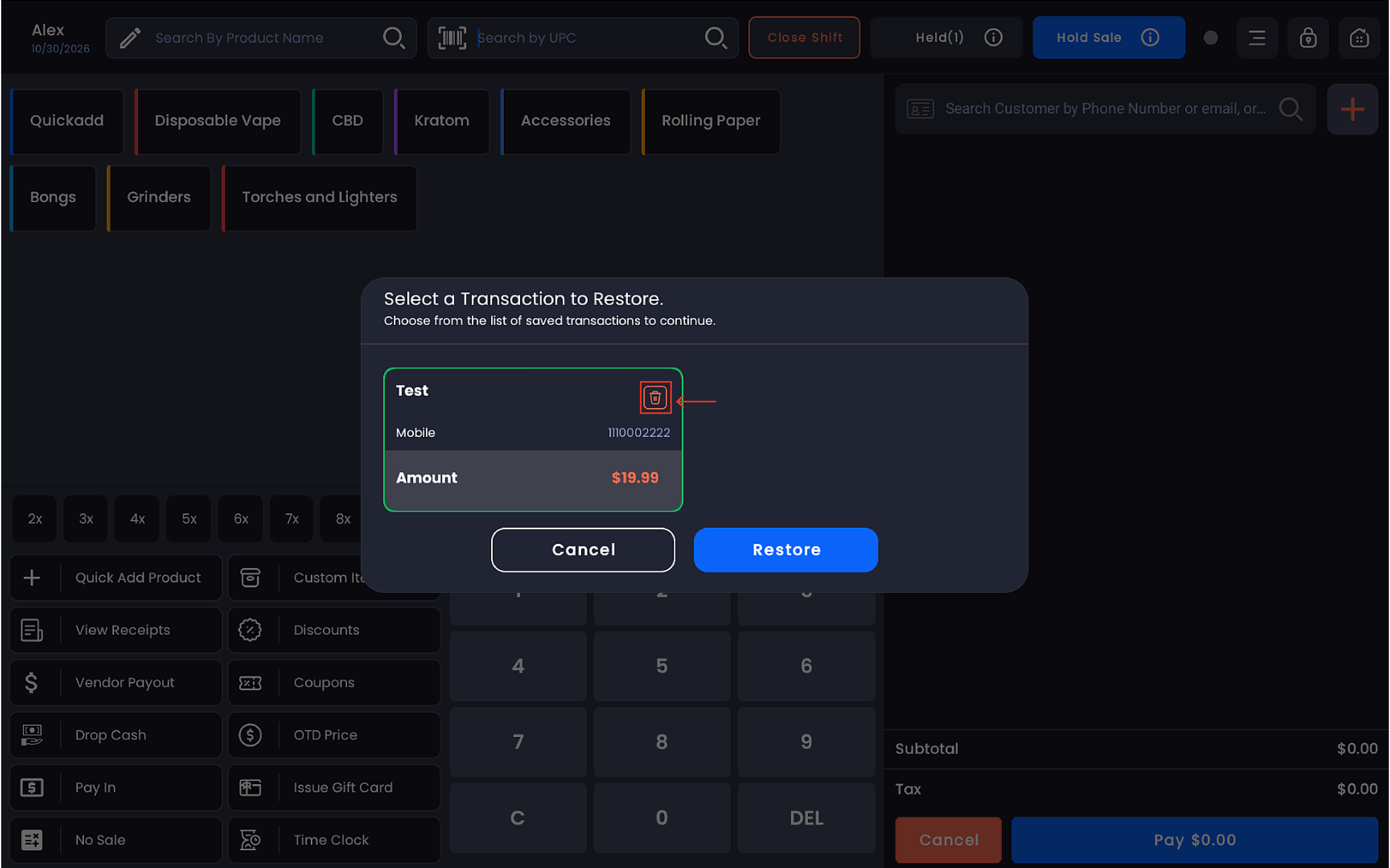
The "Select a Transaction to Restore" popup appears
-
Each saved basket shows:
-
Basket name (e.g. test 1)
-
Mobile number (if entered)
-
Amount — the total value of the held basket (e.g. $6.56)
-
-
Tap the basket to select it (it highlights with a green border)
-
Tap Restore
-
The cart reloads with all original items, quantities, prices, and taxes intact
Deleting a held basket
To permanently remove a held basket without restoring it, tap the 🗑 delete icon on the basket card inside the restore popup.
Important notes
Multiple baskets can be held simultaneously — the Held counter reflects the total count.
All item-level discounts applied before holding are preserved when the basket is restored.
The register is fully available for new transactions while a basket is on hold.
Held baskets persist until they are restored or deleted — they do not expire automatically.