
Quickvee POS lets merchants apply discounts to individual items directly from the register. Discounts can be given as a percentage or a fixed dollar amount, and both types can be applied within the same order.
How to apply a discount
-
Add one or more products to the cart via scan, UPC, or product name search
-
Tap Discount on the register
-
-20261028-110927.jpg?cb=0dbdd373cd2aadd246b38f1854bce68c)
Choose the discount type:
-
Percentage — enter a percentage value (e.g. 55%)
-
Amount — enter a fixed dollar value (e.g. $50.50)
-
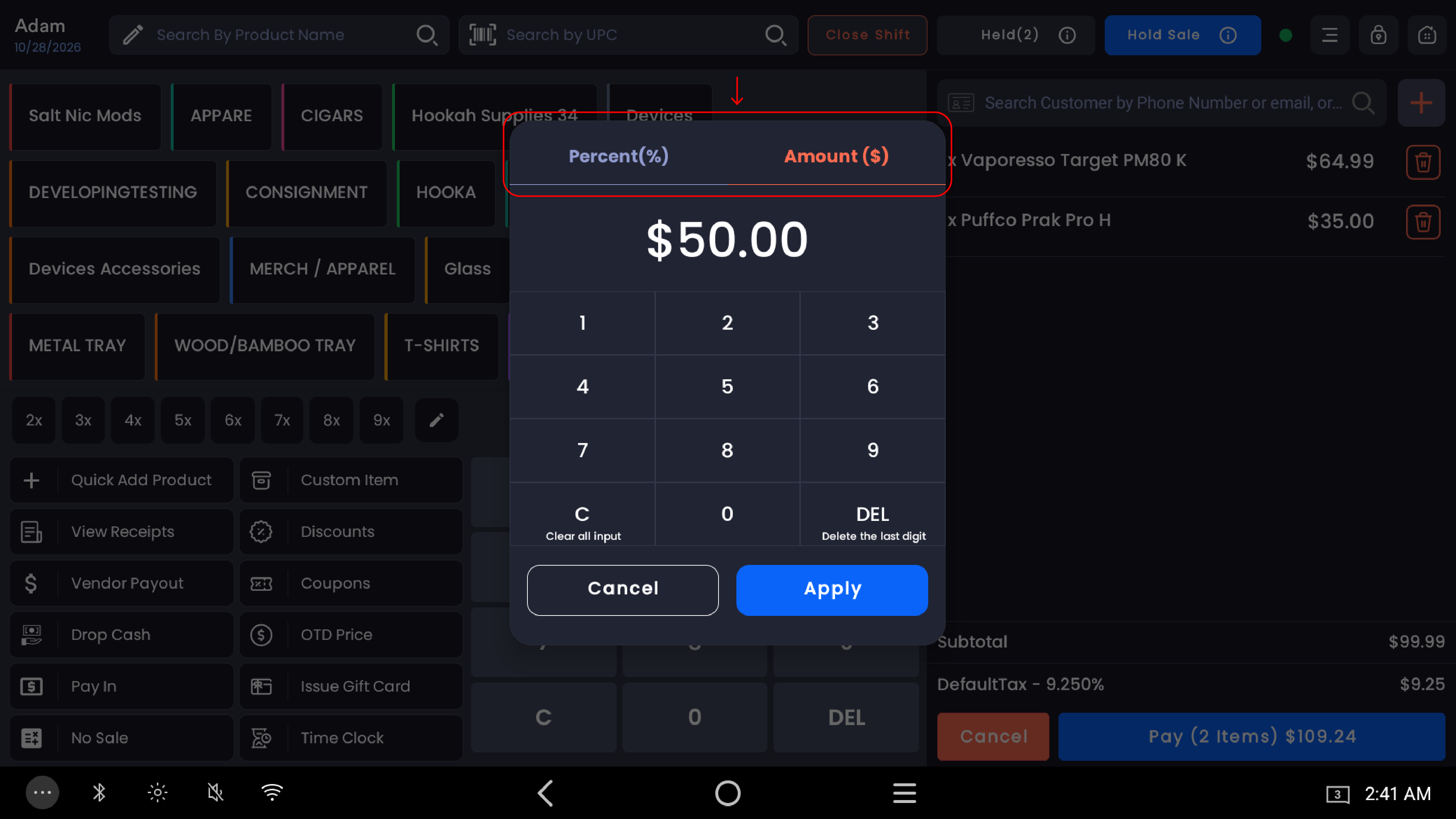
%20(1)-20261028-111508.jpg?cb=57a2ad9af7832115cd7ef6b8a2fd8c2b)
-
Tap Apply
-20261028-111033.jpg?cb=dfd8a7a00baf7d068549eff6d56fc66d)
-
The discount will be reflected in the cart and the updated total will display immediately
-20261028-111123.jpg?cb=c462f2f13c4abfd63f18f84efbff6fc4)
Applying multiple discounts in the same order
Quickvee POS supports applying both a percentage discount and a fixed amount discount within the same order. Each discount is applied per item and the cart displays a combined discount total.
Example:
|
Item |
Discount type |
Discount value |
|---|---|---|
|
Item 1 |
Percentage |
55% → -$2.70 |
|
Item 2 |
Amount |
-$50.50 |
|
Total Discount |
|
-$53.20 |
The register reflects the cumulative discount across all items at the bottom of the cart.
-20261028-111202.jpg?cb=b658373380dadc82c05a2010868dc3b8)
Discount permissions
Discount access can be controlled at the employee level. Merchants can configure granular permissions to allow or restrict specific discount types — for example, permitting an employee to apply coupons while restricting them from applying order-level discounts. This is managed through the Employee Permissions settings.
Note: Coupon discounts and order-level discounts are controlled by separate permission toggles. Enabling one does not automatically enable the other.
Tip: You can mix percentage and amount discounts freely within the same transaction — there is no restriction on discount type per order.